



Popular Games
 (1).png)
.png)
 (1).png)
.png)
.png)




.png)

 (1).png)
.png)
.png)

.png)

 (1).png)
.png)


Mobile Games



.png)







Your next favourite
.jpeg)


.jpg)
Promo & Events
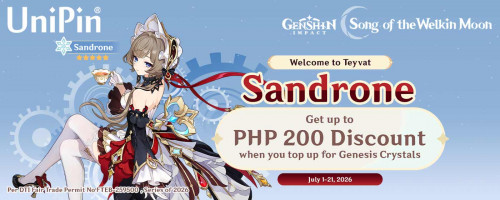

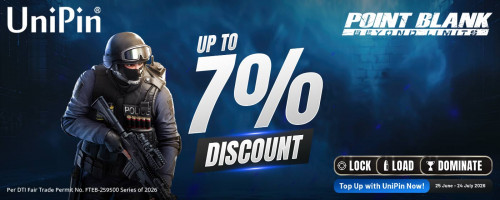

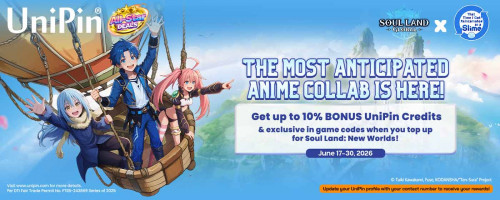
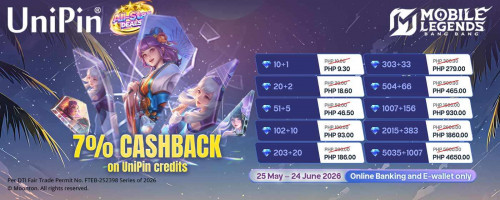
UniPin Advantage
Your Ultimate FAQs Guide
We’re sorry to hear that you haven’t received your diamonds yet. To help us resolve this quickly, please provide the following details:
- Your phone number
- Payment method used (e.g., GoPay, credit card, etc.)
- Game ID and server (if applicable)
- Date and time of the transaction
- Transaction/order number
- Screenshot or proof of payment (showing the deducted amount or confirmation from your payment provider)
Once we receive this information, our support team will verify the transaction and ensure your diamonds are delivered as soon as possible. Thank you for your patience and understanding.
This error usually appears when there’s a mismatch between your game account region and the region selected on the UniPin website. To resolve it, please make sure:
- Your game account’s region ID is set correctly
- The region selected on UniPin matches your game account’s region
If the regions don’t match, the top-up process cannot be completed and you'll receive an error like ERROR_IAP_ACTIVITYIAPCONTROL. Double-check both settings to ensure they align before making a purchase.
We're sorry for the trouble you're experiencing. Based on our current system status, the UniPin website is functioning normally. If you encounter an error, here are a few steps you can try first:
- Refresh the error page
- Try a different browser (e.g., Chrome, Firefox, Safari)
- Clear your browser’s cache and cookies
If the issue still persists, please help us investigate by submitting the following details:
- Page URL (link) where the error occurred
- Type of game you were accessing
- Screenshot of the error message
- Payment channel used (if any)
- Browser you were using
- Your IP address (You can check it at whatismyipaddress.com)
Once we receive this info, our support team will review your case and get back to you as soon as possible.
To help us process your transaction history request, please provide the following details:
- Full name
- Email address associated with your UniPin account
- Payment method used (e.g., GoPay, credit card, etc.)
- Date of transaction(s)
- Proof of payment (screenshot or payment confirmation)
- Game title
- Game ID
- Reason for requesting transaction history
Once we receive the complete information, our support team will review and process your request as soon as possible. Thank you for your cooperation!
We're excited that you're interested in becoming a UniPin reseller! To get started, please fill out the following details so our team can review your application:
- Email address
- Phone number (WhatsApp preferred)
- List of games you plan to sell
- Estimated monthly sales volume
- Your business location
Once you’ve submitted your information, please allow some time for our team to review. If your profile matches our requirements, our reseller team will get in touch with you for the next steps.
Thank you for your interest in partnering with UniPin!
We're sorry for the inconvenience caused. Your UniPin account was automatically frozen by our system due to activity flagged as suspicious or irregular. To help us investigate and proceed with your case, please provide the following complete information:
- Email linked to your UniPin account
- Screenshot showing the account freeze message
- Date of the last transaction
- Proof of payment
- Where the top-up was made (website/store/platform)
- Payment channel used (e.g., GoPay, OVO, credit card, etc.)
- Purpose of the purchase – Is it for personal use or resale? (If resale, please let us know where it's being sold)
- If you joined a promo, include the promo link or name
Once we receive your complete data, our team will begin the verification process and follow up with the next steps. Thank you for your cooperation and patience.
We’re sorry to hear about the issue with your redemption. To help us verify and resolve the problem as quickly as possible, please provide the following details:
- Phone number used during the transaction
- Payment method (e.g., GoPay, DANA, credit card)
- Game ID or character ID
- Date and time of the transaction
- Transaction/order number
- Proof of payment — such as a screenshot showing the successful deduction or payment confirmation
This information will help our team investigate and ensure your redeemed items are delivered or the issue is corrected promptly. We appreciate your cooperation and patience.
We’re sorry to hear about the issue with your redemption. To help us verify and resolve the problem as quickly as possible, please provide the following details:
- Phone number used during the transaction
- Payment method (e.g., GoPay, DANA, credit card)
- Game ID or character ID
- Date and time of the transaction
- Transaction/order number
- Proof of payment — such as a screenshot showing the successful deduction or payment confirmation
This information will help our team investigate and ensure your redeemed items are delivered or the issue is corrected promptly. We appreciate your cooperation and patience.






 Facebook Login
 UniPin Credits
 UniPin Voucher